The best (and most cursed) dual Intel Arc setup
I just can't help myself, but to tinker with my PC build. It's been about a year since I last did so. I think the original expectations for the system are more or less the same. I still don't really plan to move away from AM4 (since nobody can afford DDR5 RAM anyways), but I might have figured out a way to run dual GPUs pretty well! It only took a great deal of my sanity, and also vibe editing a plugin for OBS, so I could easily do what no other dual Intel Arc system on the planet does (using my A580 and B580).
The hardware side
First up, my motherboard: the ASRock B450 Pro4 R2.0. It's very much a budget option and is limited to PCIe 3.0, which doesn't exactly have the best speeds, especially when running an 8x card (since if the card is PCIe 4.0, that speed doesn't really matter cause the motherboard becomes the bottleneck). As it turns out, that slowness isn't really a problem at 1080p and 60 FPS, which is what my main monitor runs at, alongside three others like it.
The real problem is this nightmare of them disabling all sorts of ports depending on what you plug in, which led to me having this sort of jank setup. You see, I wanted to boot from my M.2 NVMe drive, keep all of my storage connected (an SSD for gaming, an old SSD for gamedev, alongside a few HDDs, one as a scratch pad for downloads, one for personal files, and one as a backup), as well as run two GPUs. Thankfully, it is possible with the hardware, but it ends up looking like this:
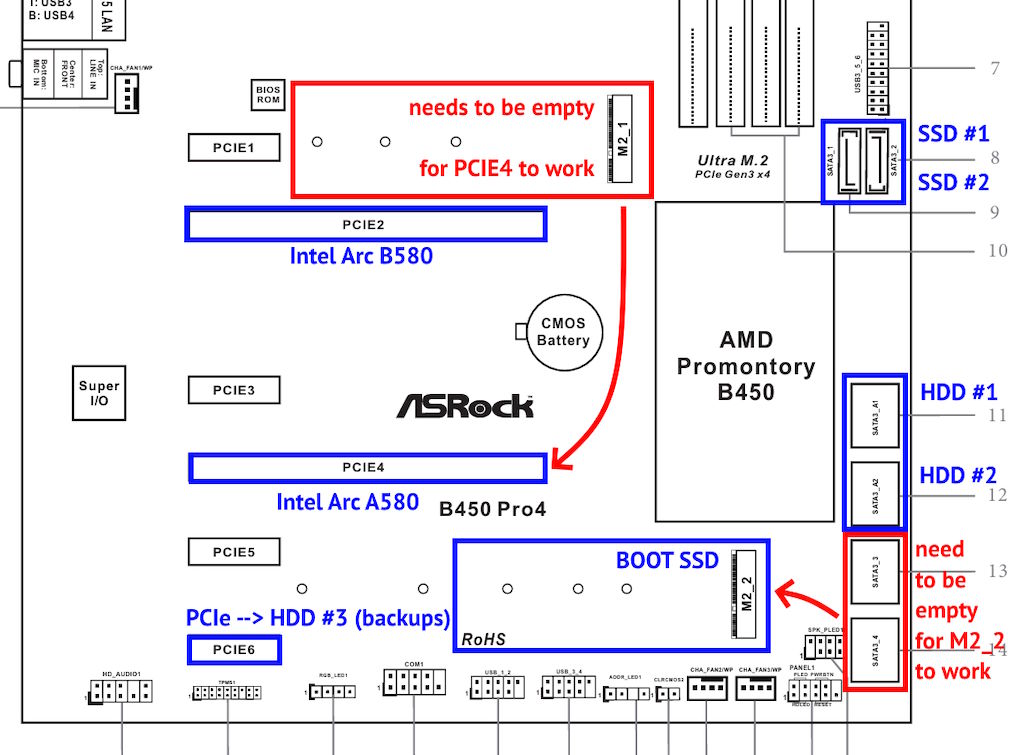
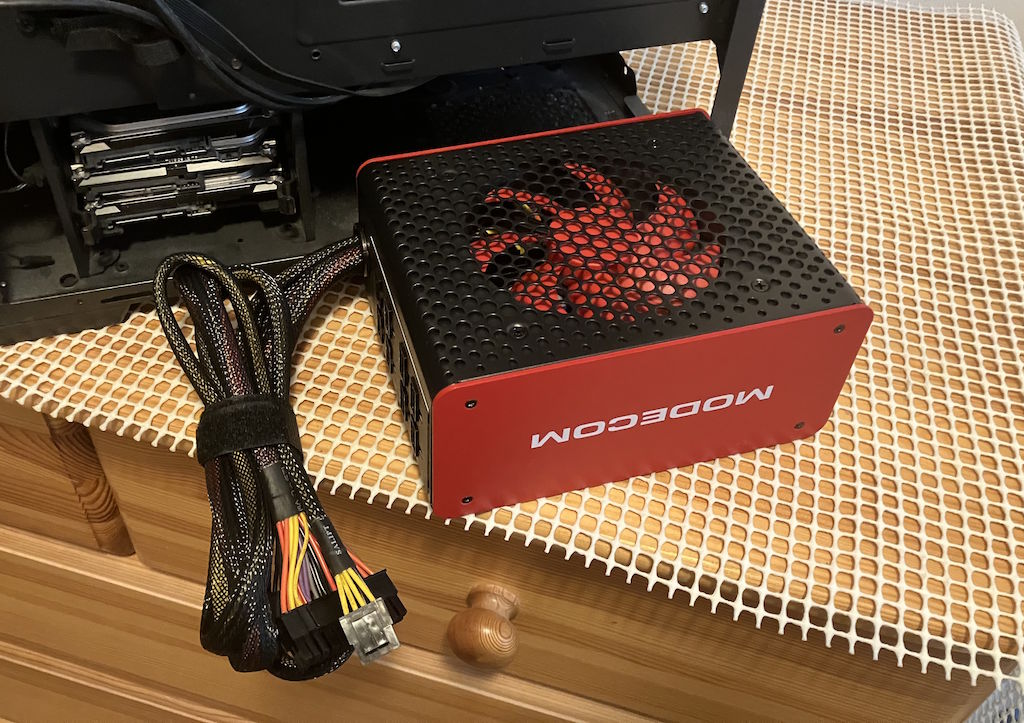
Yes, I had to get a PCIe expansion card to turn one of those tiny 1x slots into a SATA port for one of my HDDs, but otherwise it ended up working out. Except what actually brought on the need for this whole work, was that my PSU was developing a bit of rattle - those budget bearings eventually wearing out, and since I didn't feel like opening up the old Akyga 500W PSU (that had long since been discontinued), I just ended up pulling out my backup Modecom Volcano 750W. It's a little bit overkill for the actual hardware, but here's hoping that means it won't work too hard:
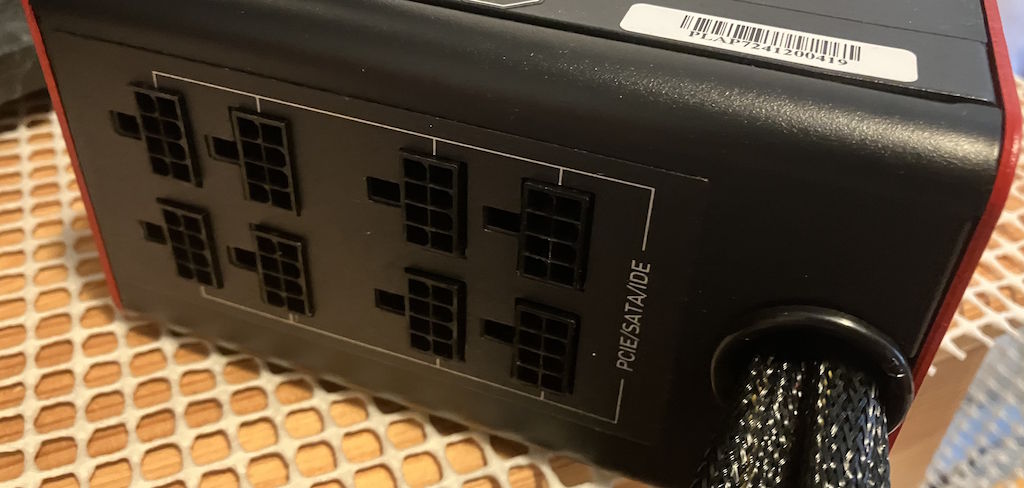
It's even semi-modular (despite there being no such thing as universal cables, which is super annoying; I don't even know how I'd run let's say four GPUs on one of these generic as hell PSUs), so I can only plug in what I need:
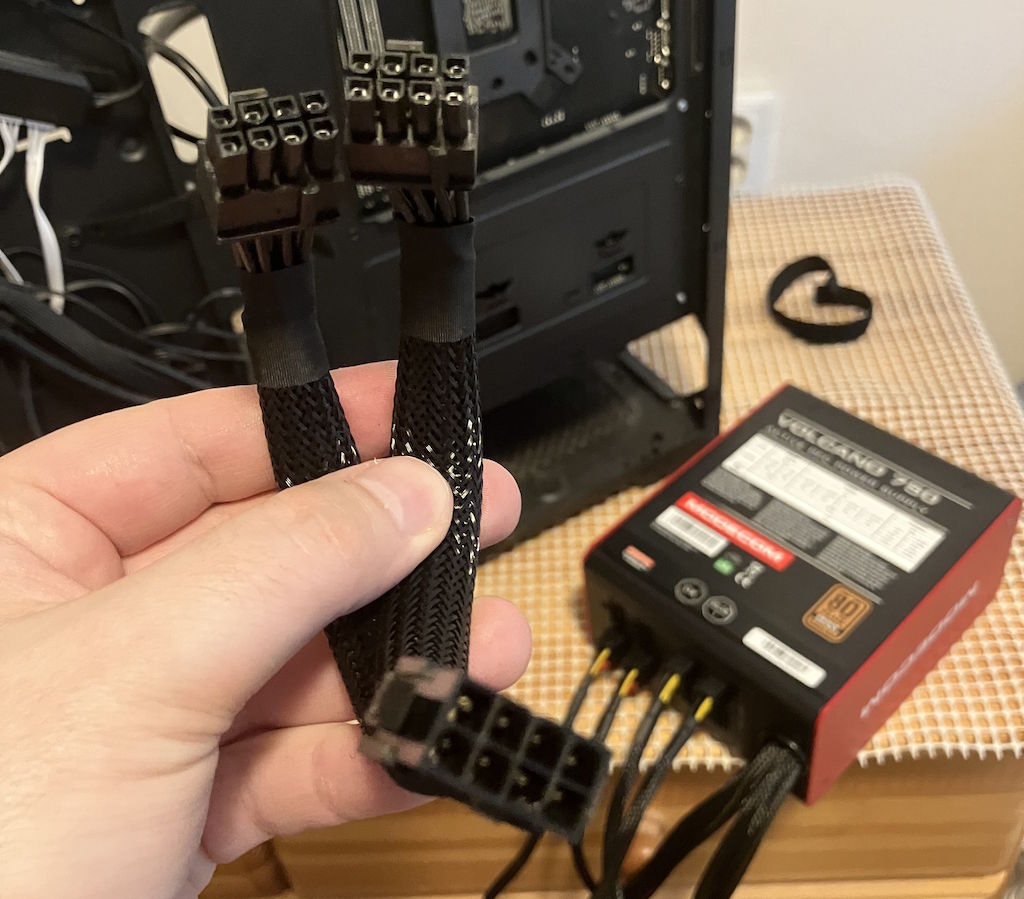
I did also opt for a PCIe 8-pin splitter, since for some odd reason the Intel Arc A580 needs two of these connectors, despite not really being meant to draw more than about 175W, which would be more than decently served by a single one (like the B580 already is). For that, a splitter is more than enough, since it will never see much load and lets me bring some of the cabling mess to the front of the case, not the back:
The next problem was that the PSU simply wouldn't fit. In part, it's because I truly do despise the case: it's the Kolink Inspire K4. For what it's worth, it's not like it has bad build quality or anything, it's just that it's wholly unsuited for bigger motherboards, dual GPU setups, as much storage as I want to cram in there, or lots of fans. Frankly it's surprising that I can take it as far as I can, it's just that everything gets more annoying with time, alongside me not really being able to justify getting another one. Ergo, problems:
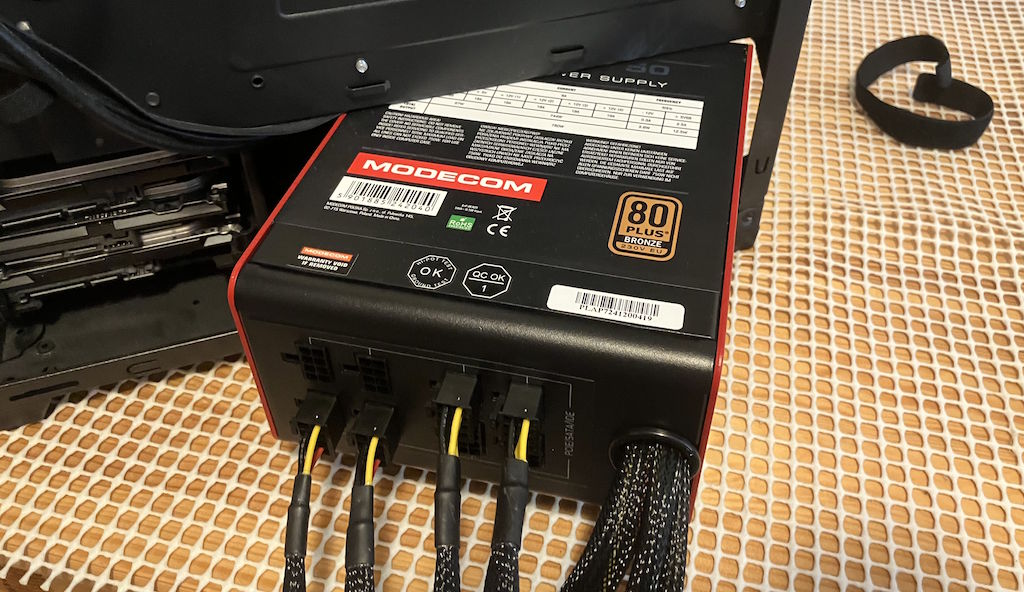
It wouldn't fit no matter how I tried putting it in, alongside me having to be careful because I used one of the side vents to route some of the cables to not interfere with the bottom GPU as much (you'll see that in a minute). Frankly, I'm not even sure why you need the stupid separate PSU compartment/cover, an open case design would be infinitely better, where everything would just be in the main internal compartment:
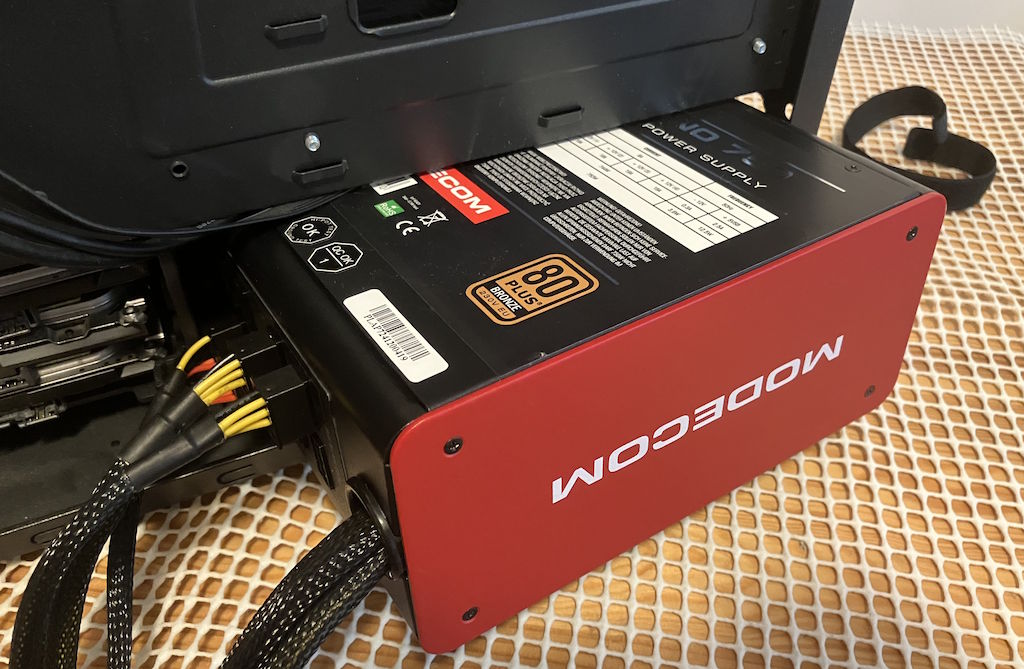
In the end, however, with some pliers, it didn't turn out to be too hard to fix, it's just that swapping the PSU out will involve a bit of... bending metal.
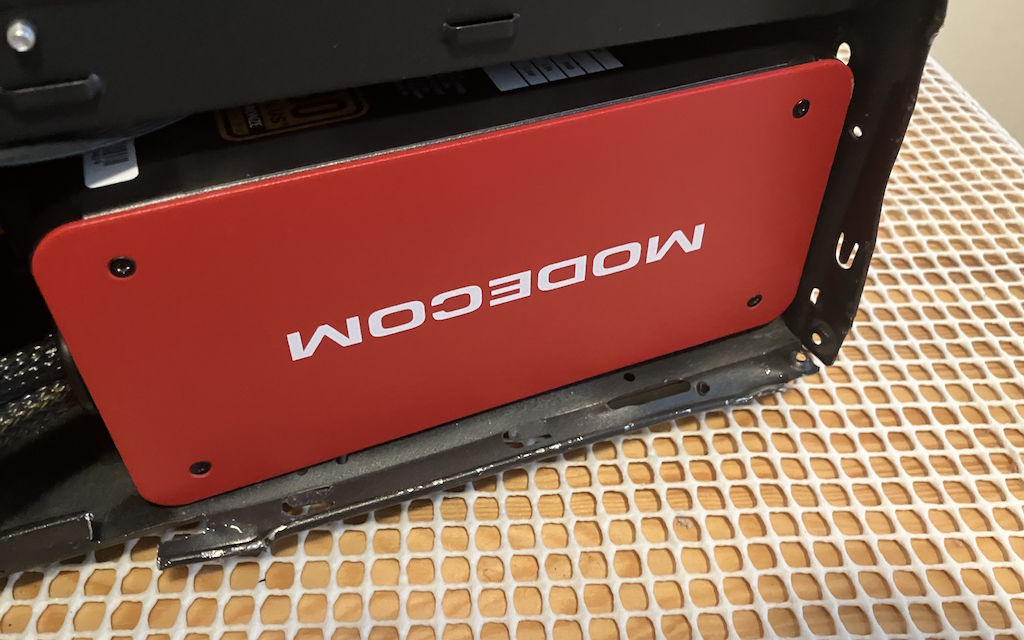
While at it, I also did some more slight modifications here and there, since the CPU EPS12V connector loves to snag on some of the edges of the case. Now, I can at least route things more easily and not suffer so much at the thought of ever having to disassemble the thing:
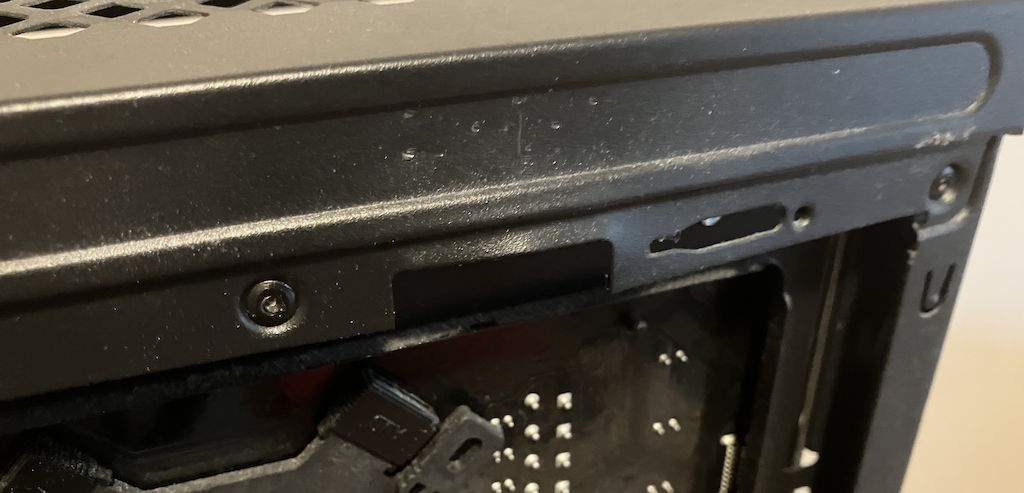
The back of the case looks like trash, I will concede that, but if you take a closer look, you'll quickly realize why:
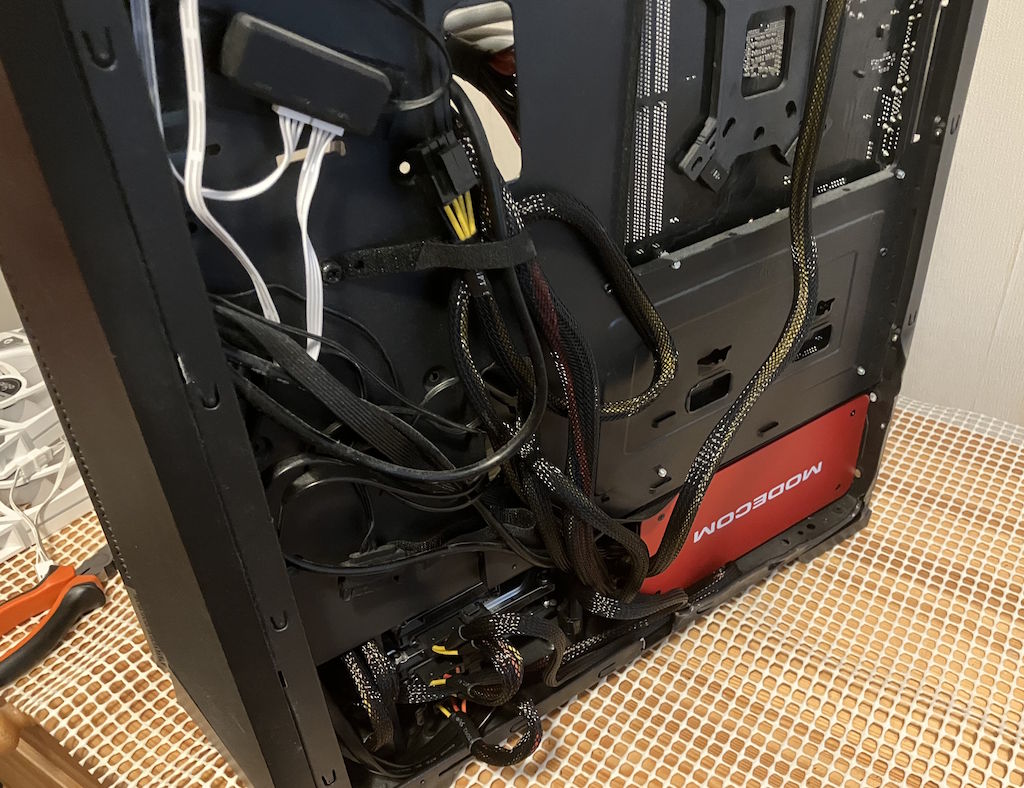
Ignore the fan controller in the back, the real problem is the storage. I have to cram about 5 drives in space that's realistically meant for 2. That's actually another problem point, because HDDs don't like vibrations and since there's only one sled in the case (and putting in a 2nd one would prevent me from being able to fit three HDDs in there), that will probably affect their lifespan quite negatively.
Frankly, that's all the reason I should need to tackle my homelab next and once more establish a proper backup situation, so this wouldn't be so scary:
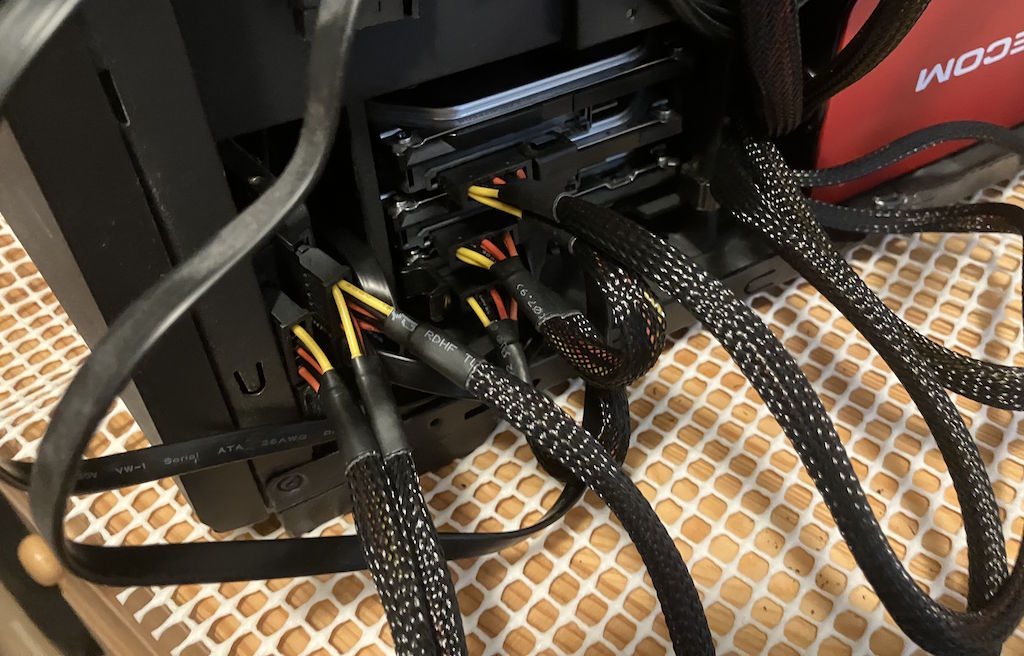
Now, remember me routing some of the cables through the PSU compartment? That is because I need to use the bottom-most PCIe 1x connector for a SATA expansion card, which takes up space near the bottom GPU, so everything needs to be as compact as possible:
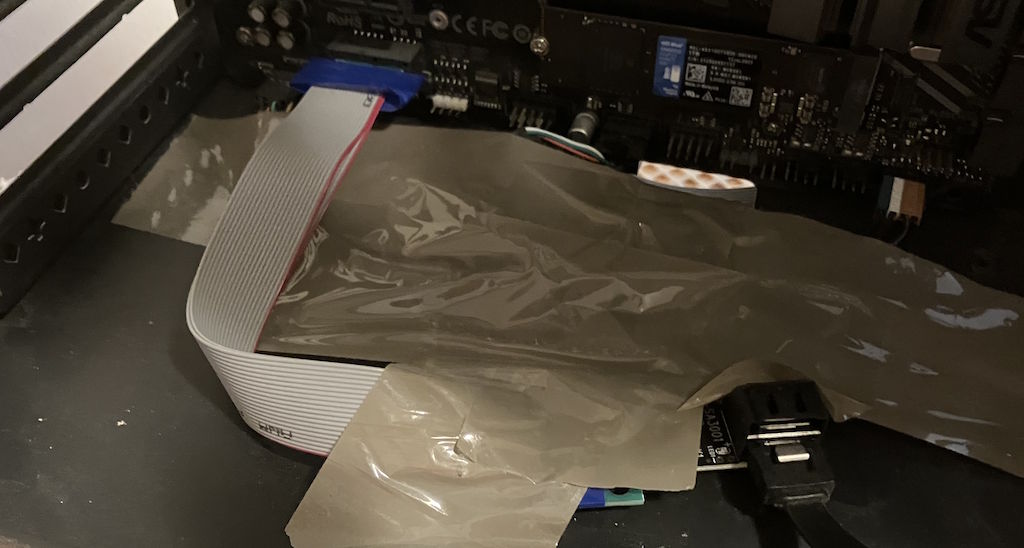
Using tape might seem like heresy, but you'll quickly realize once I show you what the A580 looks like when put inside of the case, mostly because the card is also a bit bigger than it'd truly need to be. I will just say that the A580 from ASRock is probably one of the better looking Intel Arc cards, better than the B580 series, even ASRock's own design:
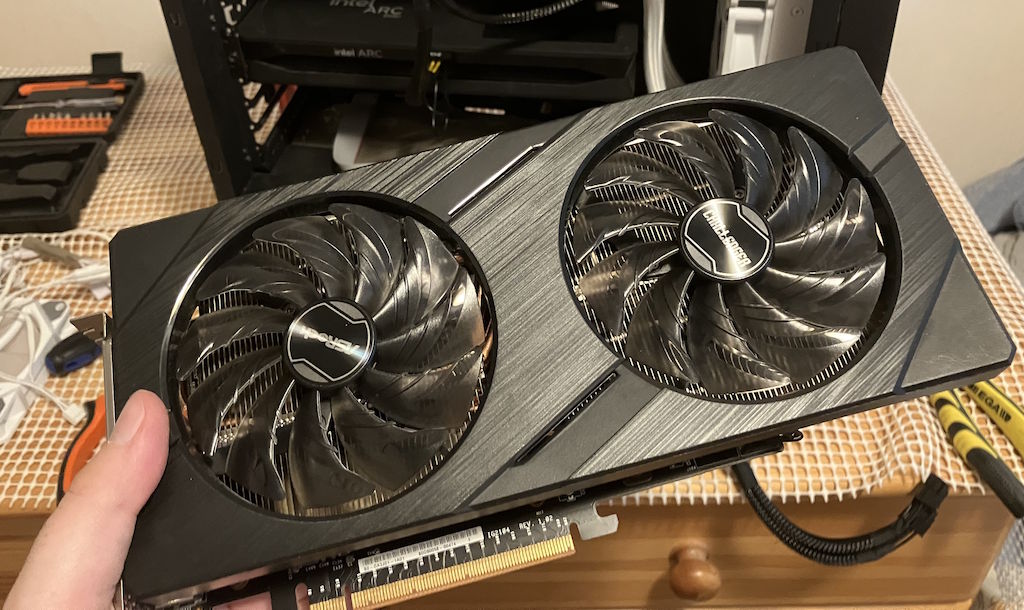
Oh yeah, before I show you some more horrors, here's a look at the card needing two power connectors.
I think they had some pretty beefy ambitions in regards to overclocking and while I was able to push the card past its stock settings by quite a bit, after about 110% past the baseline in regards to the clock speeds and the memory speeds, any video encoding run on the card would show a whole bunch of artifacts, which was also quite the interesting failure mode.
Regardless, what a chonky card, that heatsink could probably be at least a good 25% smaller with no temperature issues whatsoever:
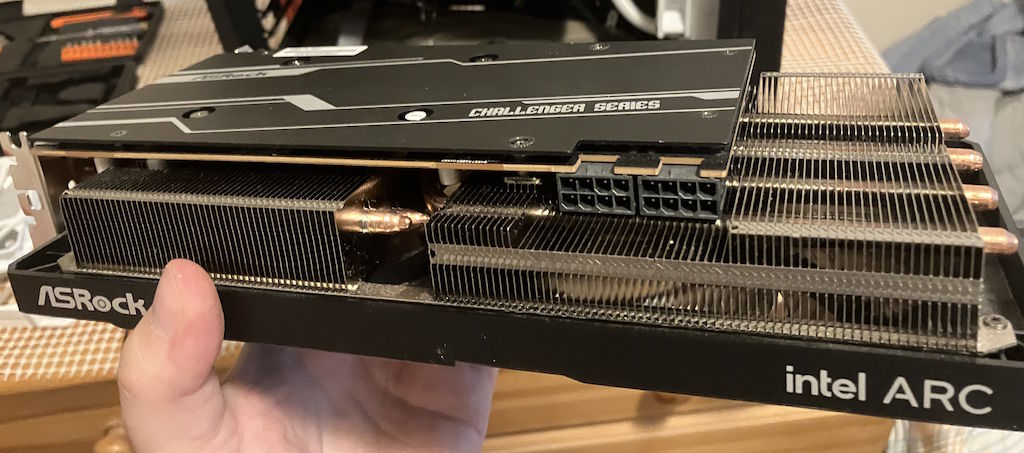
Here's the problem with the clearance, there's not even enough space for the expansion card cable to twist, without it brushing up against the GPU fans when installed normally:
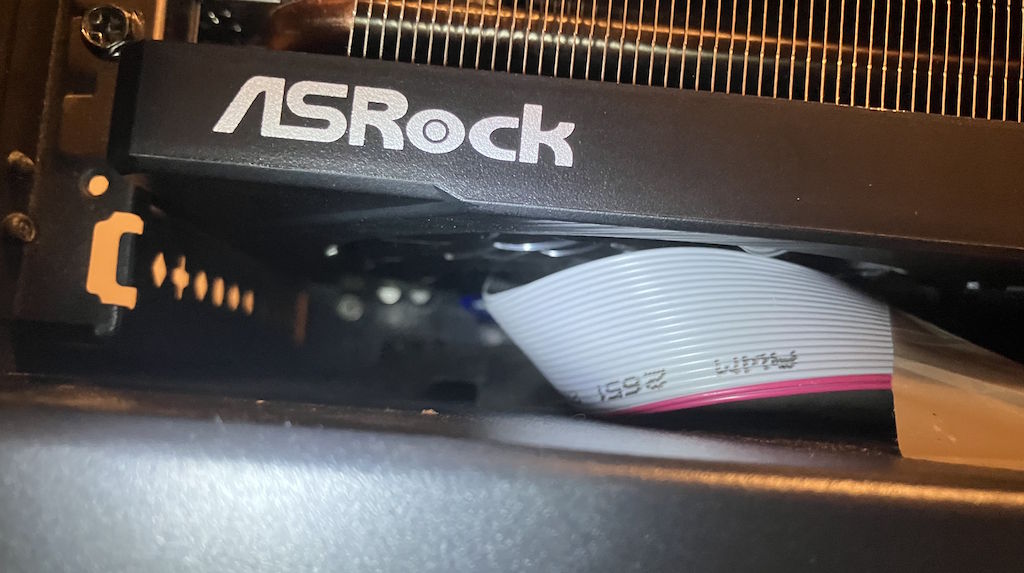
Even if I did figure out that bend, you can see that in the very dusty interior of my PC case, the expansion card is almost brushing up against the fans as well. Any loose piece of tape would be enough to interfere with the fans and even if they were powerful enough not to slow down too much due to that, it'd still result in quite the annoying rattle:
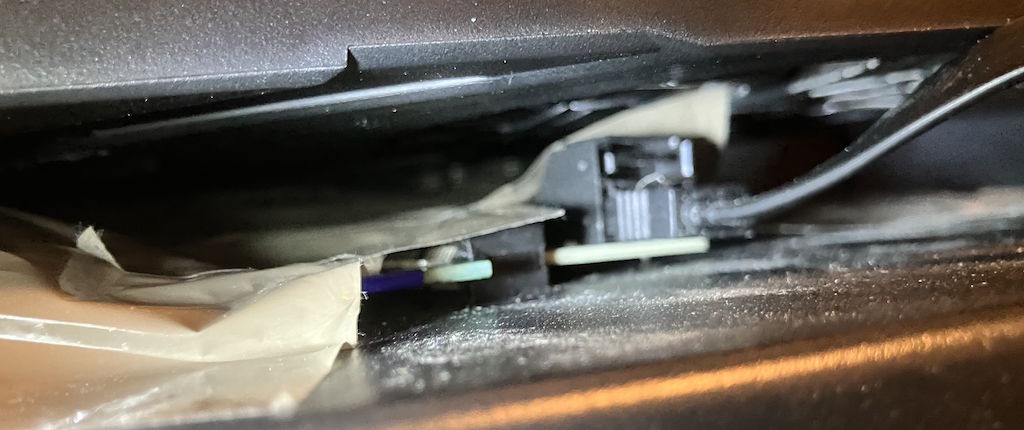
The solution, obviously, was to use even more tape. I don't look forward to the day when I get a new case or motherboard, but for now this should be about as stable as I can get things to be, despite multiple people having told me that it looks cursed, before I've even published the post:
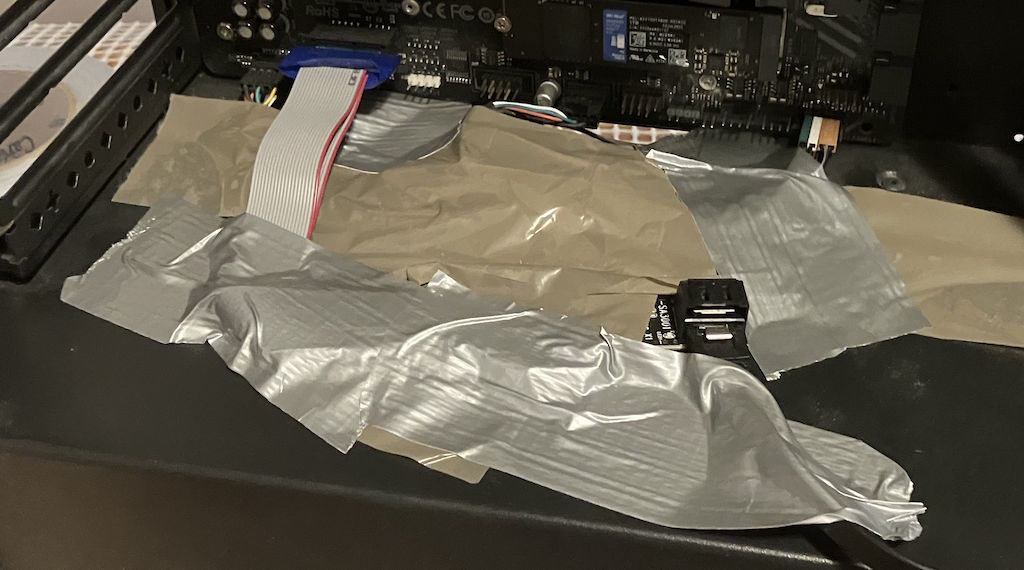
Either way, we now have clearance:
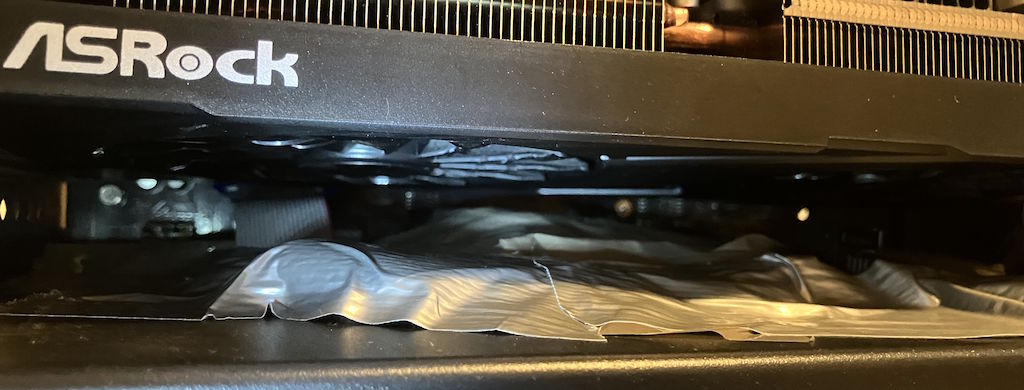
That's actually because of me coming up with an impromptu stand-off, in the form of a bottle cork I found in the wardrobe:
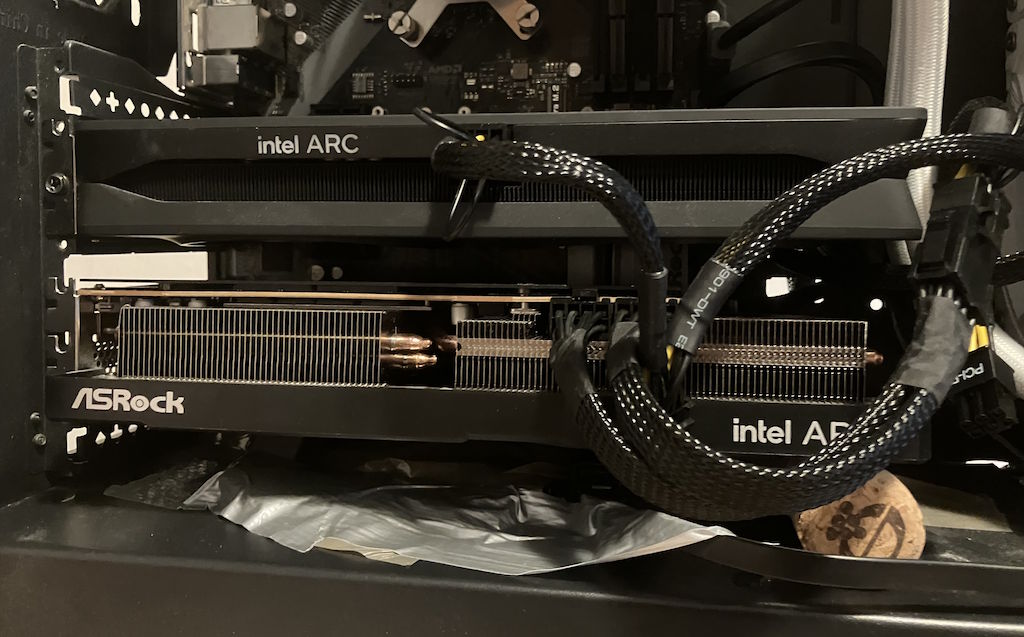
The unfortunate part is that, I don't know whether because of the GPU or the case, by default the GPU slot covers already get in the way of plugging in the HDMI and DP connectors, except if I raise the card even at an angle that won't really break it or anything (I made it a bit less exaggerated after taking the picture), I can't plug anything in. Because of that, I had to do more crimes against the case and give myself more leeway:
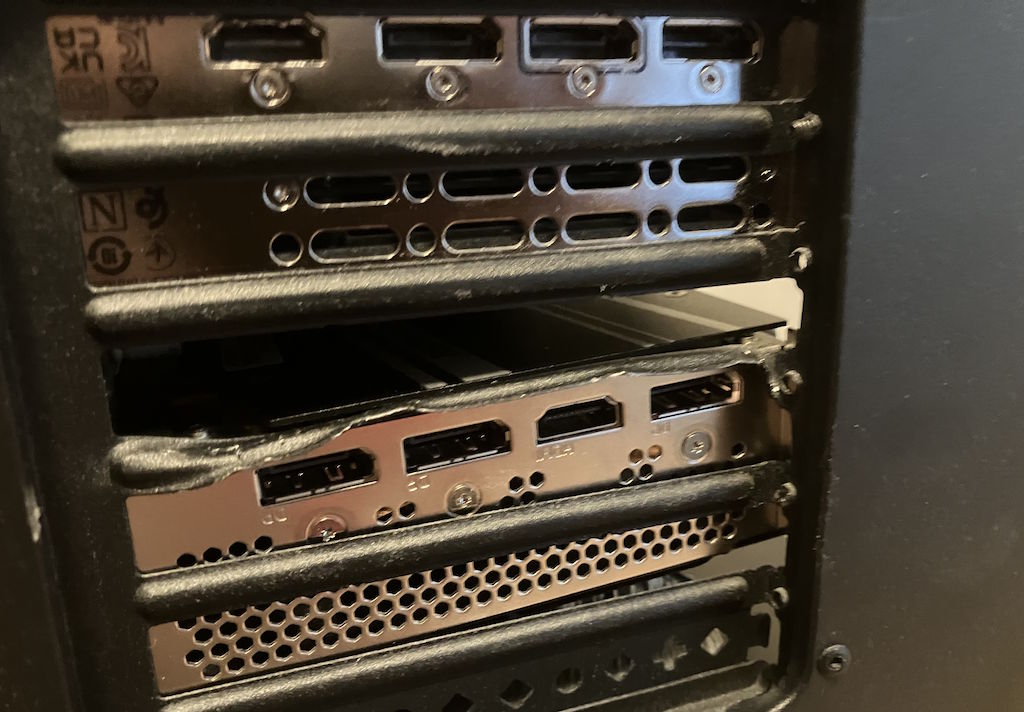
As you can see, I'm not exactly that concerned with the longevity of the overall setup, if it works, it works. I'll worry about aesthetics never.
For now I also gave in and just decided to use the top of the B580 as a little stand for the fan cables, since I do need a lot of case fans to push enough air through the case so it wouldn't overheat. I think here you can also see me turning the back fan into an intake, which I later reverted - it seems to work better when the front is an intake and the top and back side are both exhausts:
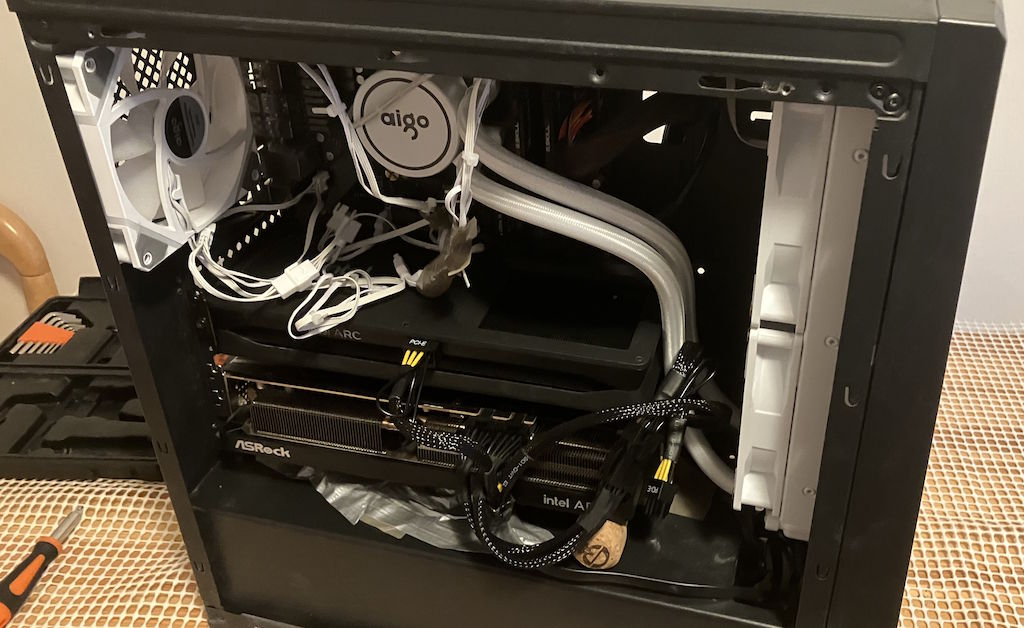
In contrast to the previous time when I tried a dual-GPU setup, this time I brought a bit more perseverance to the task.
The software side
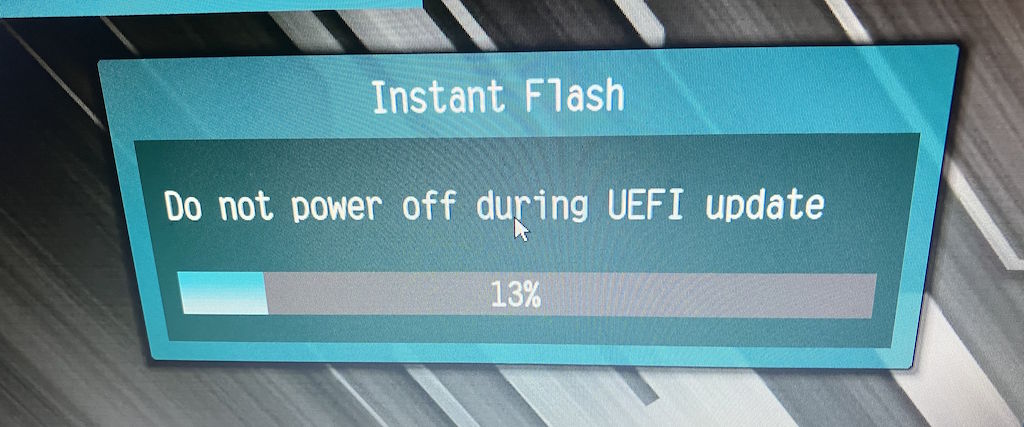
The first step was to update my BIOS to the latest version:
After that, I checked that I don't have any PCIe lane bifurcation set up, which might have been the reason why the system wouldn't boot properly the previous time, regardless of what people online say about it (I've seen Reddit comments say you need it, which is the opposite of my lived experience):
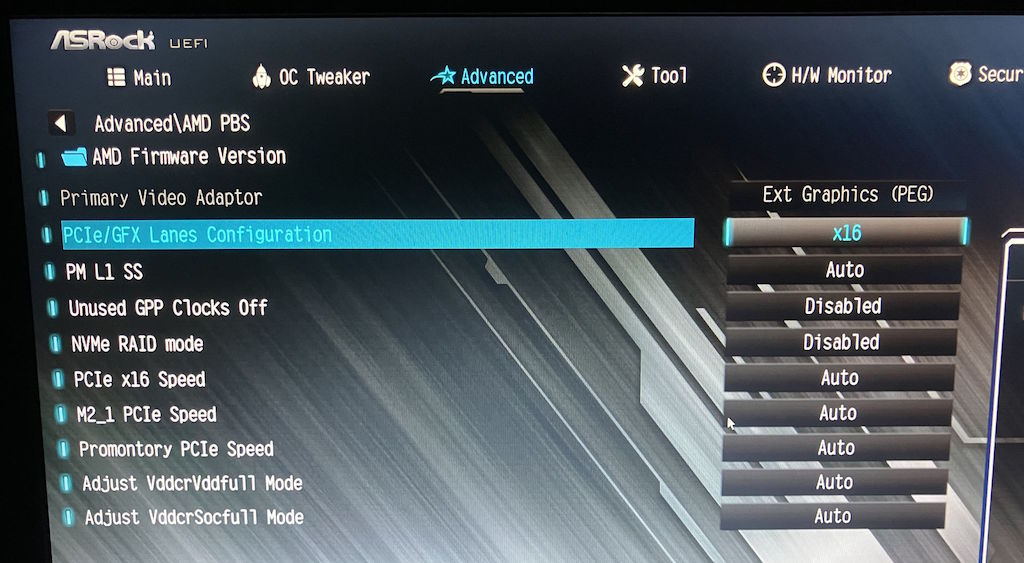
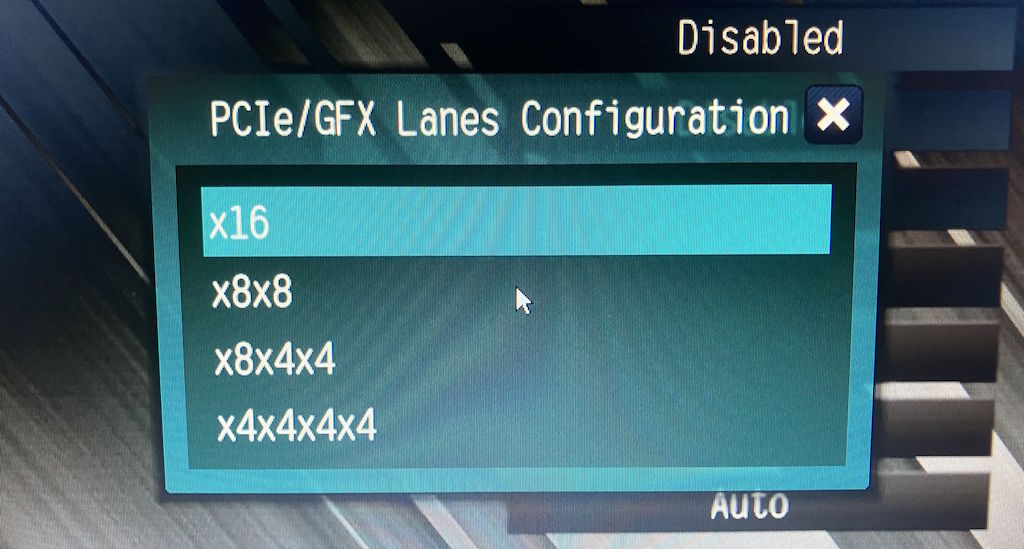
You see, bifurcation seems to split a singular PCIe 16x slot into multiple ones, for specialized hardware configurations that need it. For example, there are some interesting cards, like the Intel Arc Pro B60 Dual which is one card with two chips in it, and a total of 48 GB of VRAM. For that kind of setup, you'd need to set up bifurcation, whereas in my case it gives no benefit and could completely prevent the system from booting:
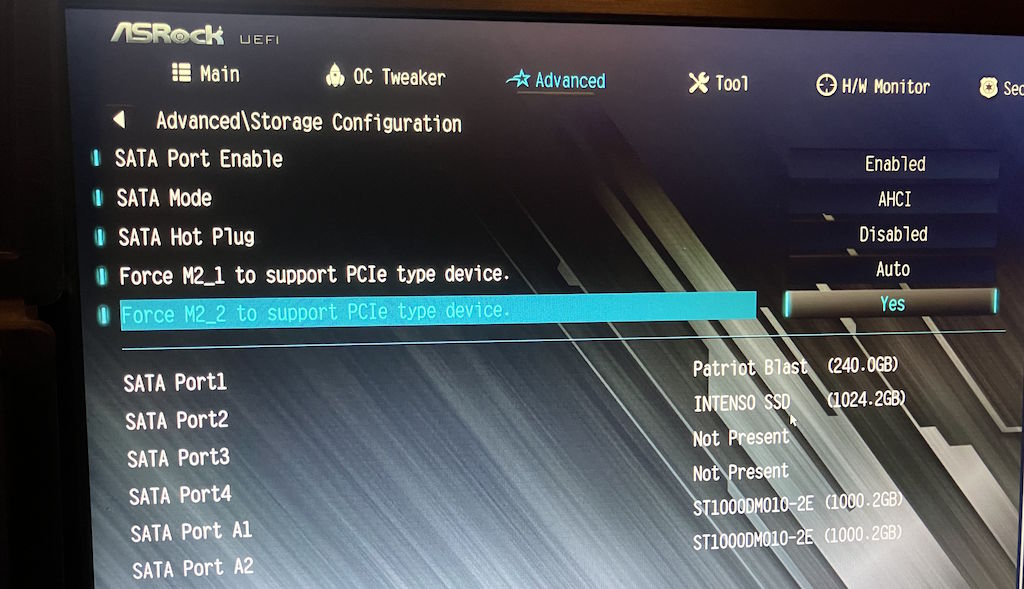
I also finally figured out the arcane rules for what gets disabled when you plug things into the motherboard. I was able to locate the settings needed to get my storage working properly:
In the end, once all of those steps were done, I was greeted with a properly working dual Intel Arc setup, driving my four monitors:
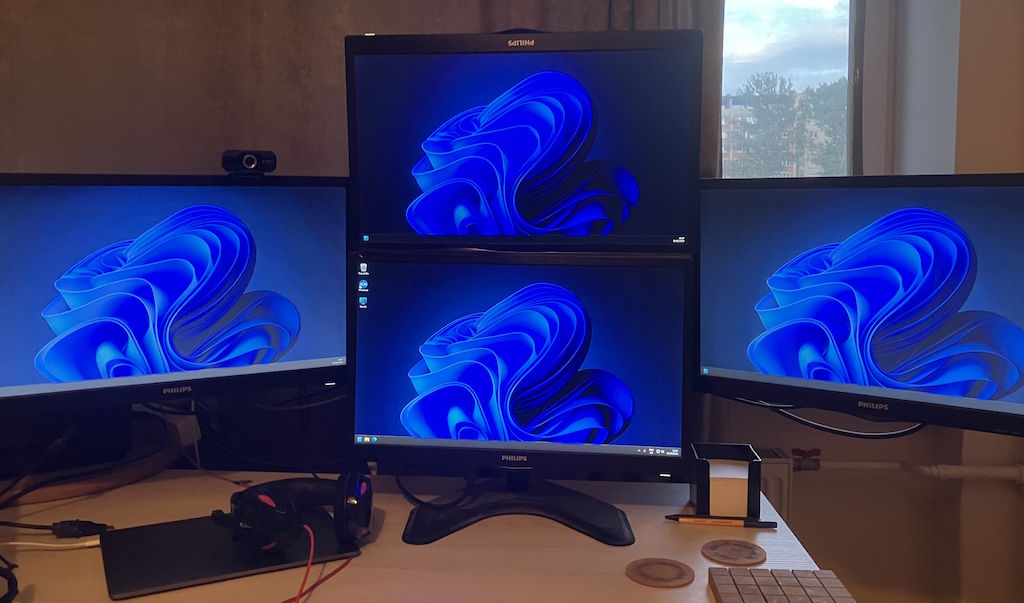
They might be a bit old at this point (they're the Philips 223V5) and the TN panels don't exactly have the best color accuracy, but I will say that they comfortably cover all of my computing needs and the main one is passable for gaming. A pretty big boon is the fact that they're also reasonably light, meaning that all of that setup can be held up by one metal stand and two sets of VESA arms.
By now, you might be wondering, why go through all of that trouble just to get two Intel Arc GPUs working:
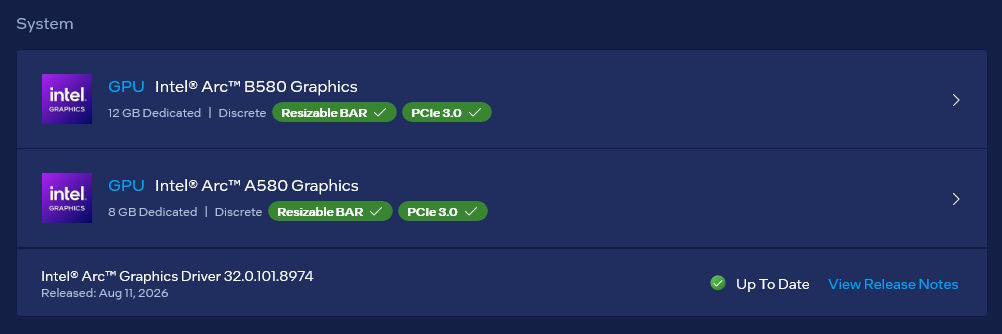
The answer, is that a single B580 runs pretty badly:
- the Intel GPUs have more or less a fatal flaw in their encoders, where they will prioritize the game framerates when under load, and lead to a completely stuttery and unusable recording/stream, some workarounds about which I've written about previously
- secondly, for whatever reason, the card struggles a bit while trying to drive four monitors and game; it's not an apparent framerate drop, but the frame timings are less than ideal and there's a few more stutters than I'd like
Obviously, when done normally, a dual GPU setup doesn't really resolve all of those. Actually, initially it made everything worse: playing YouTube videos on one of the monitors while gaming on another (having all three secondary monitors plugged into the A580, but the gaming one in the B580) would lead to inexplicably high GPU usage across both of them:
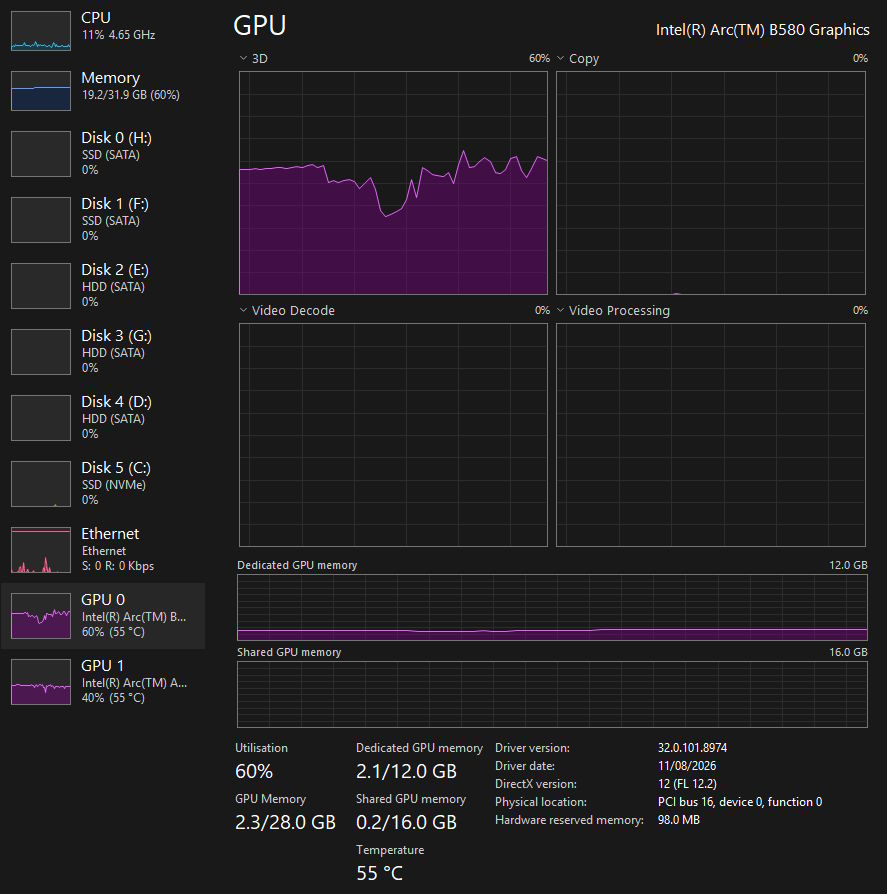
The load seemed to originate in the DWM process, after double checking the issue across a few workloads with the help of some profiling:
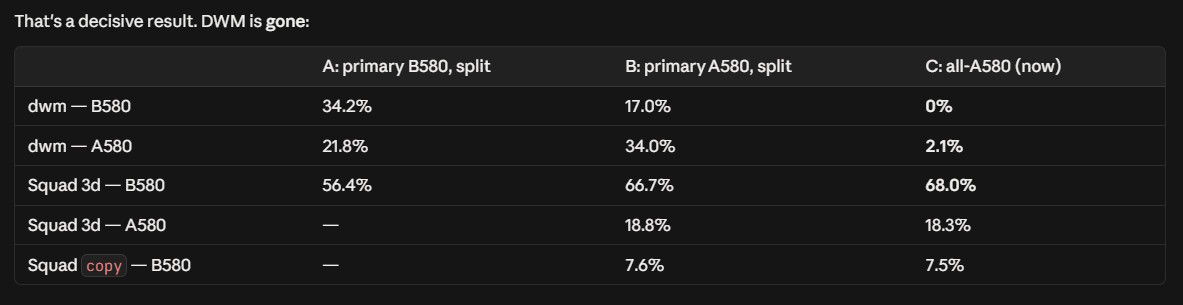
What helped me here, was plugging every monitor into the A580 and configuring B580 to only run the games I want. This meant that the full DWM load would sit on the A580 which would handle it without issues, and the B580 would be called out to only when a game needed to be rendered, passing the frames through the motherboard and A580 out to the monitor. I don't think this should be smoother than just plugging the game monitor into the game GPU and letting it do things directly, but for whatever reason it was, super unintuitive.
When everything was plugged into the A580 I didn't actually see much added latency and the games also seemed more smooth. The B580 could allocate all of its power to rendering the game, essentially it being very similar to it only having to worry about rendering a single thing, not a whole desktop across multiple monitors. In essence, I more or less reinvented the laptop iGPU + dGPU setup, except in desktop form.
Now, I do believe that I might have messed up somehow and that two of the monitor cables might have been mixed up at some point, e.g. one of the secondary monitors being connected to the B580 and the game output that the B580 renders needing to be fed through the A580 to display on a monitor. Actually, at this point I'm hoping that it's what that was, because at least it'd make more sense to me - it was super odd and frustrating that the DWM would misbehave for seemingly no reason otherwise.
Point is: you might plug one monitor into the B580 and play games on that one, and have another Intel Arc GPU handling the other monitor(s) and have none of the DWM related issues that I had. Maybe I was just uniquely unlucky to fuck up the monitor cables. But if you do get issues like I did, try plugging every monitor into the secondary card and using the more powerful one for games.
Even with all that, it still didn't resolve the OBS issue - you see, unlike Nvidia GPUs, the Intel Arc OBS plugin doesn't expose the controls to select which GPU you want to do the encoding on. In my case, I wanted to run the games on the B580 and encode/stream them on the A580, but the problem there is that there was no way for me to do that! Thankfully, I found the now abandoned oneVPL plugin, and could eventually patch its source code to allow me to have a nice dropdown in OBS like the other GPU vendors do:
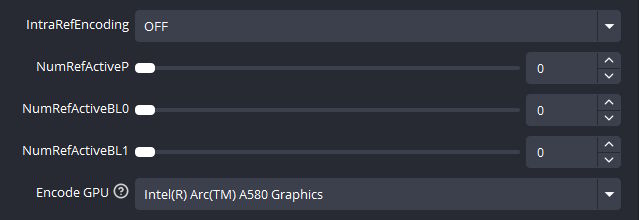
With that, I could finally let games load the B580 to the max and have good encoding for OBS on the secondary card.
In addition, I noticed how funky the overclocking settings look, compare the A580 options:
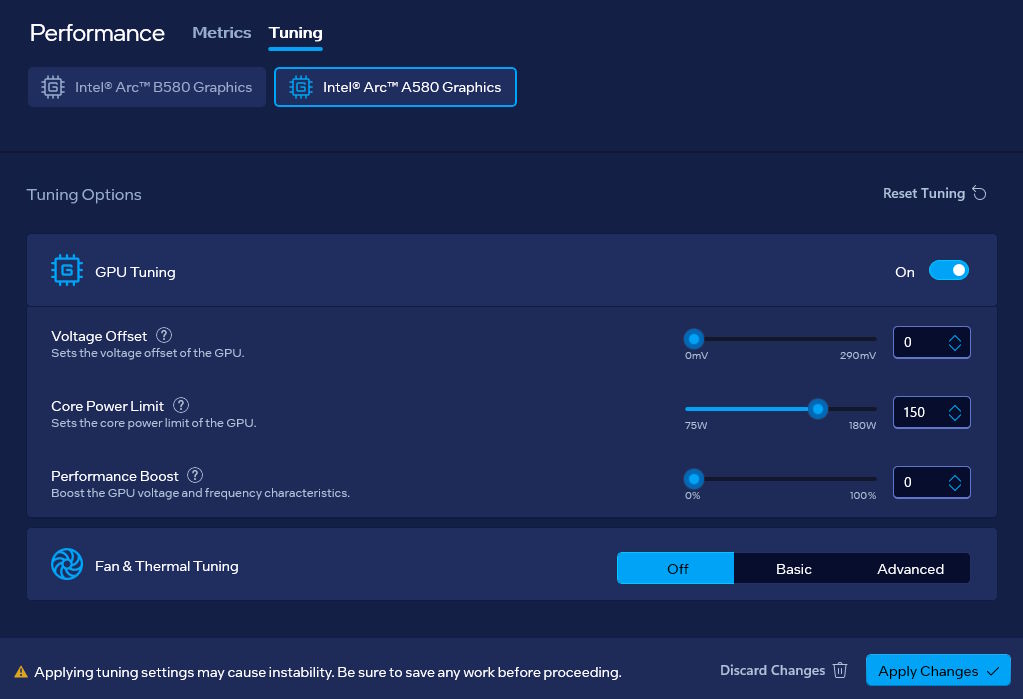
With the ones available for the B580. One has voltage values in mV, power limits in W, and frequencies in %, whereas the other does voltage and power in percent, and frequencies in MHz:
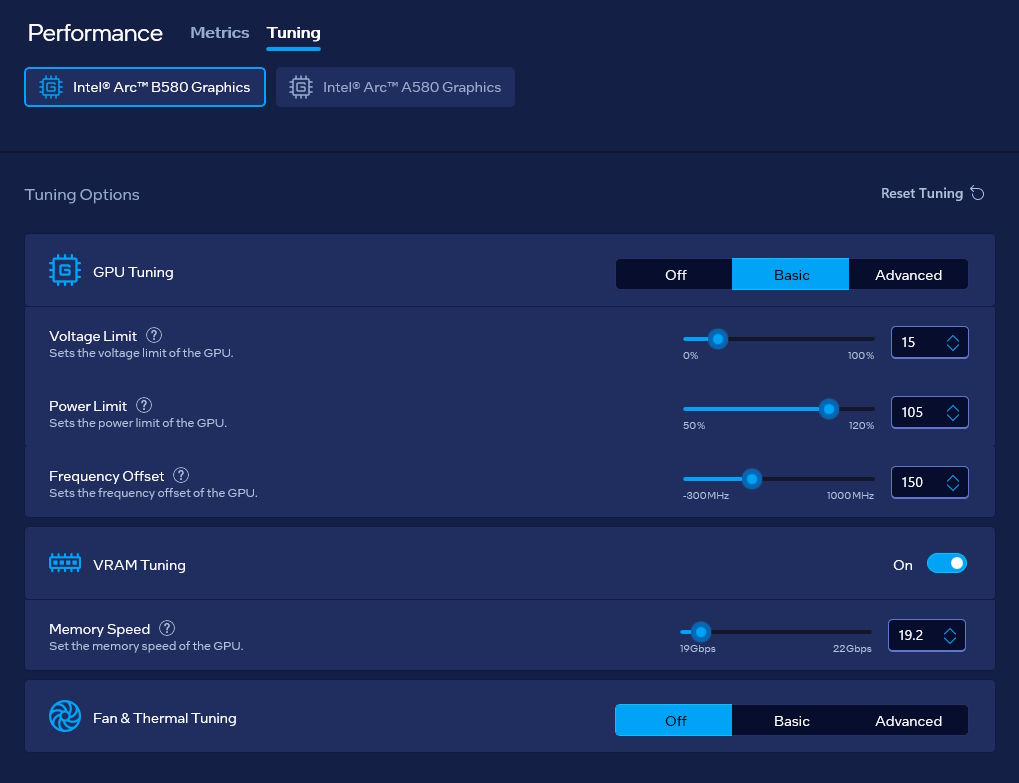
I'm not sure how on earth someone comes up with such an inverted setup, but there you go. In addition, when the B580 wouldn't be in use, it'd enter a low power state:
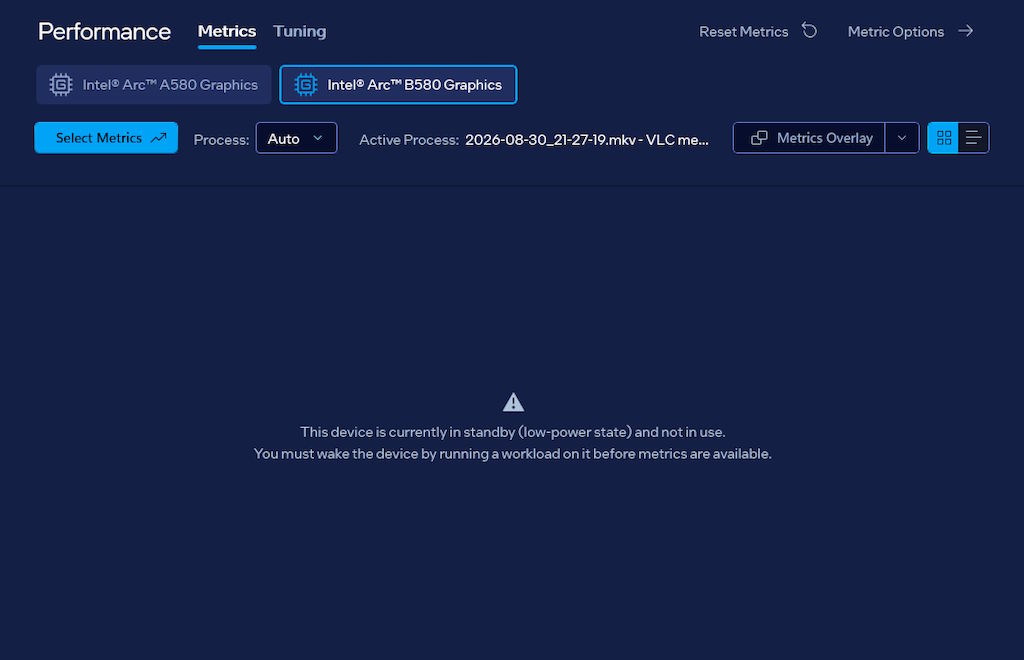
This was actually pretty interesting to see, because my motherboard doesn't support ASPM, so even at idle the B580 would pull around 30-40W instead of 10-20W of other similar cards, which is a tad wasteful.
Either way, all good?
Where does that leave me
After all that, I'm a bit torn. There are cases where dual GPU setups are broken, mostly due to games and software making assumptions about the hardware configuration that they shouldn't. At the same time, if you do get it working, it can be a pretty nice way to both give older hardware longer life, and also get more out of cards like B580 that are largely a budget offering, but with a bit of help are okay.
With my dual Arc setup, I can play games pretty well, not have large loads there impact the overall desktop experience, do streaming and recording with no performance issues, all without having to spend a whole bunch of money on an AMD or Nvidia card. I did notice some things like 100% B580 load increasing the input latency instead of decreasing it when framerates would be around 100 FPS, but that also might have been specific to the Unreal Engine 5 game I played, since that engine is just very hit or miss.
A part of me almost wishes that dual GPU setups would be more normalized and more people would just reuse their old GPU for running any secondary monitors - then again, most folks just run one or two monitors, so maybe that'd still be a niche within a niche.
What I also found is that mixed vendor setups can be pretty good! For example, suppose I'm holding on to an RX 9060 XT 16 GB for a friend, that I intend to give to them a bit later, but can mess around with it for now (also yes, it's the smaller ASUS variant of the card):
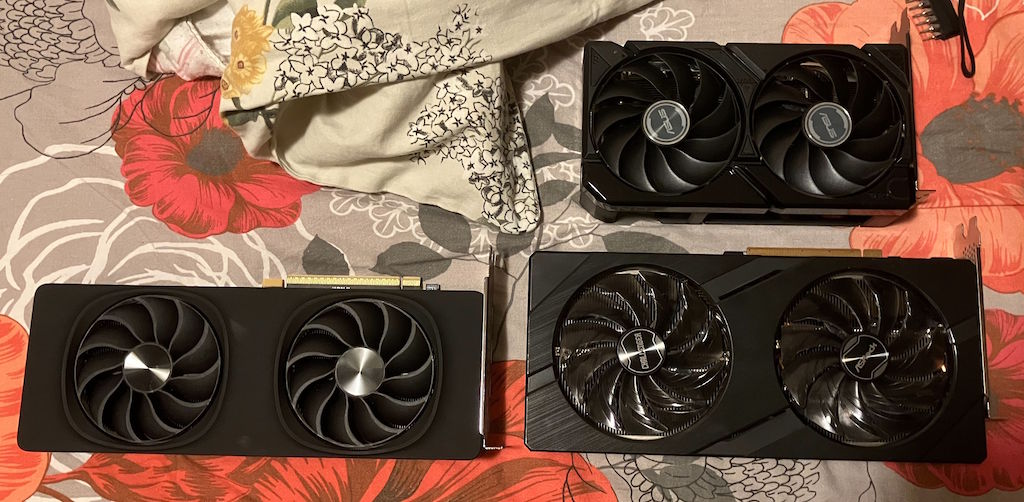
For example, I can build another dual GPU setup with the ASUS card and the B580:
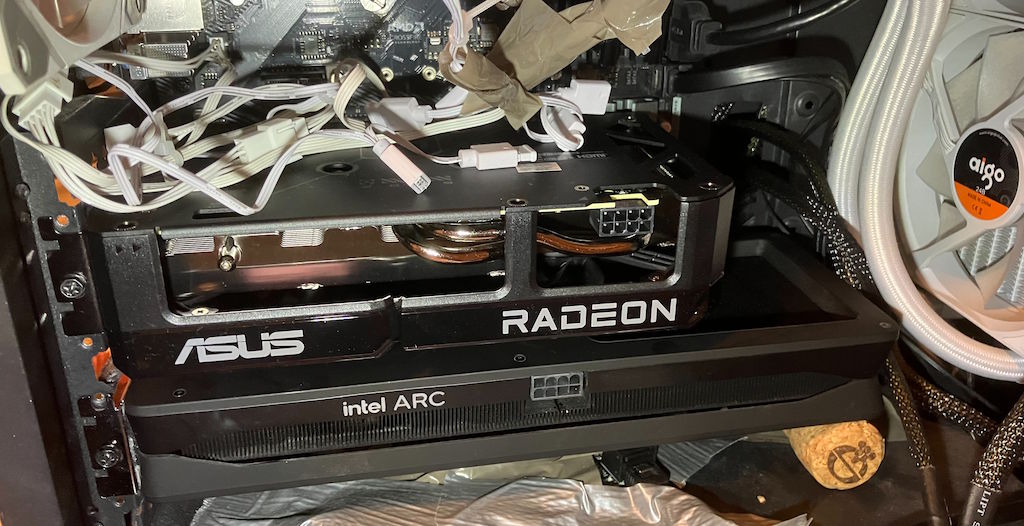
As it turns out, it works even better! Sure, the B580 still doesn't have great power management, but the RX 9060 XT has a positively wonderful power envelope, is efficient and not too loud, supports FSR (the latest versions of which are better than XeSS, and personally I think XeSS looks nice), and still has no issues with streaming/recording. Dual GPU setups just seem to make so much sense to me, if you can get them right!
This time around, I did also mess around with the monitor cables more, and I can also run the main monitor with the RX 9060 XT directly with no performance loss, which actually works good! Whether that was an Intel specific issue previously or something with the cables, right now I couldn't tell you, but even after I move back to an all-Intel setup, I think I'm gonna have a pretty good experience regardless!